One-tap rating
Right after paying, guests see “How was everything?” and answer “Good” or “Bad”.
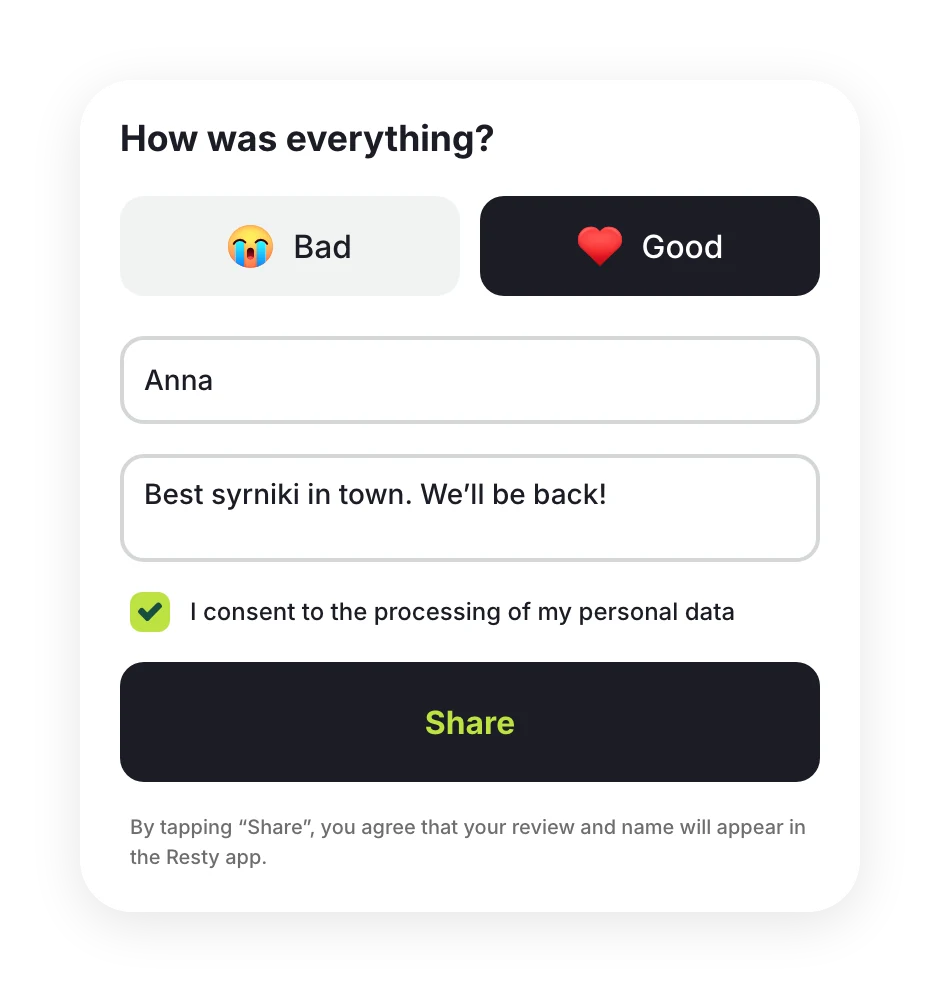
Only guests who paid their bill through Resty can leave a rating. It takes one tap straight after payment, and any “Bad” rating lands in your team’s Telegram chat while the guest is still nearby.
Your waiter knows the bill is paid!
You can leave without waiting for them to confirm.
 Bad
Bad Good
GoodWe’re so sorry. Tell us what went wrong, and the restaurant may contact you to follow up
By tapping “SubmitShare”, you agree that your review and name will appear in the Resty app. Only the restaurant will see your phone number.
It will appear on the restaurant’s page in the Resty app
Your review will appear on the restaurant’s page in the Resty app. The restaurant may call you on +375 29 •••-••-01 to follow up
Right after paying, guests see “How was everything?” and answer “Good” or “Bad”.
The review arrives in your team chat with the guest’s phone number. You can call while the visit is still fresh.
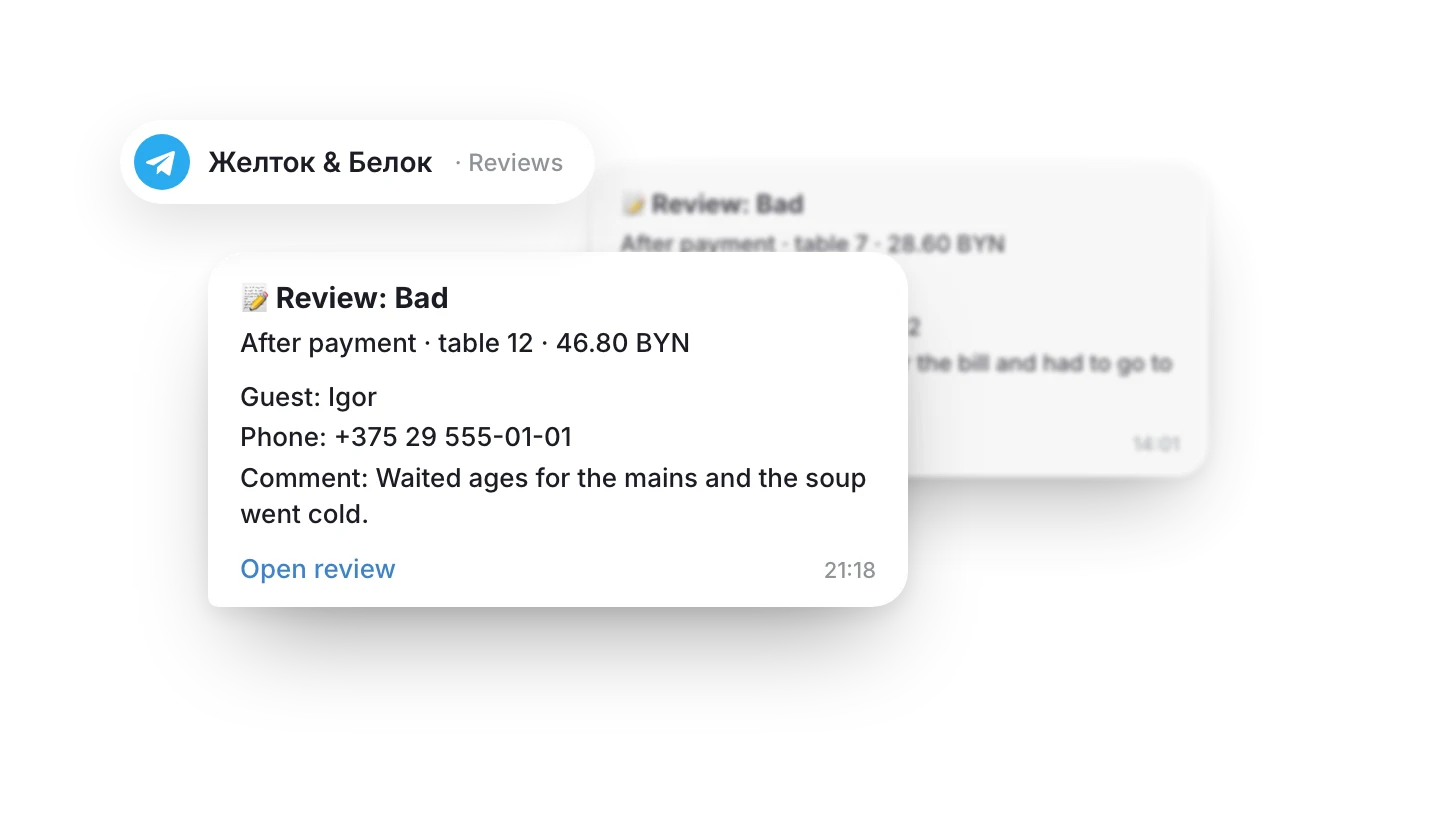
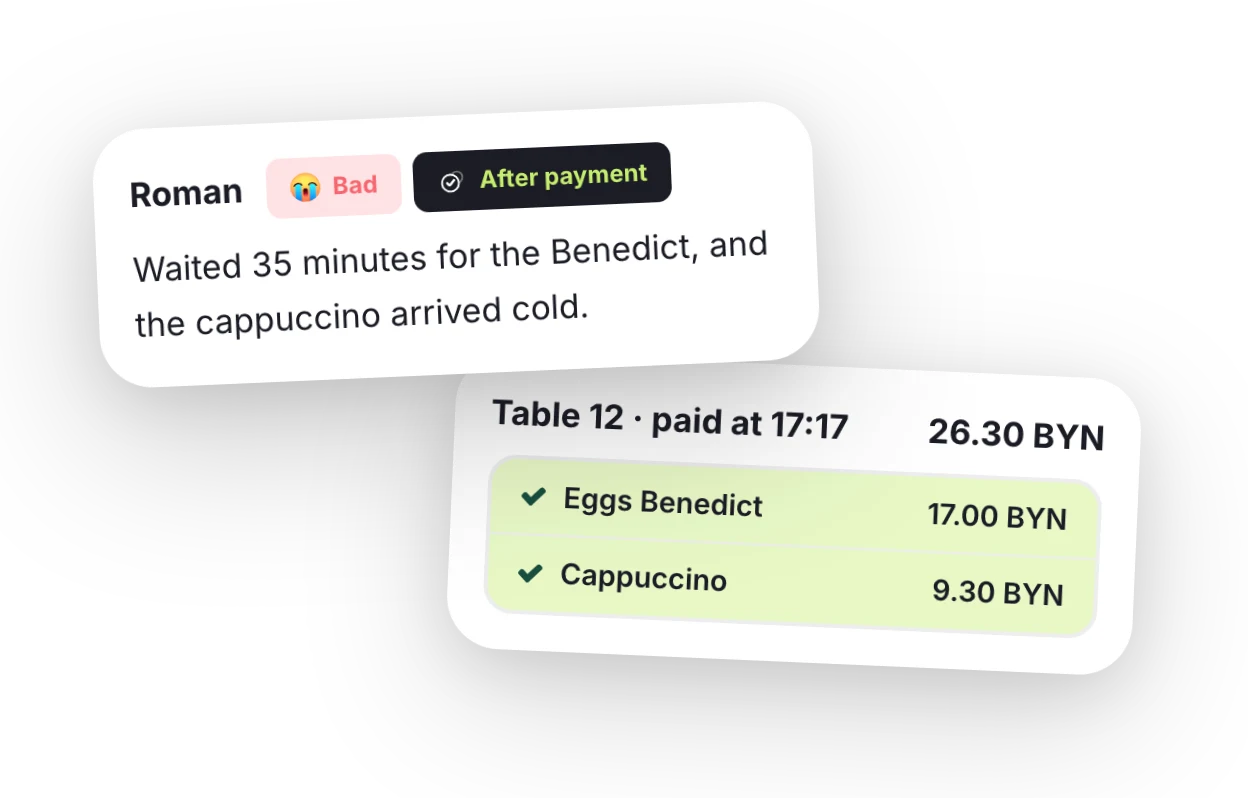
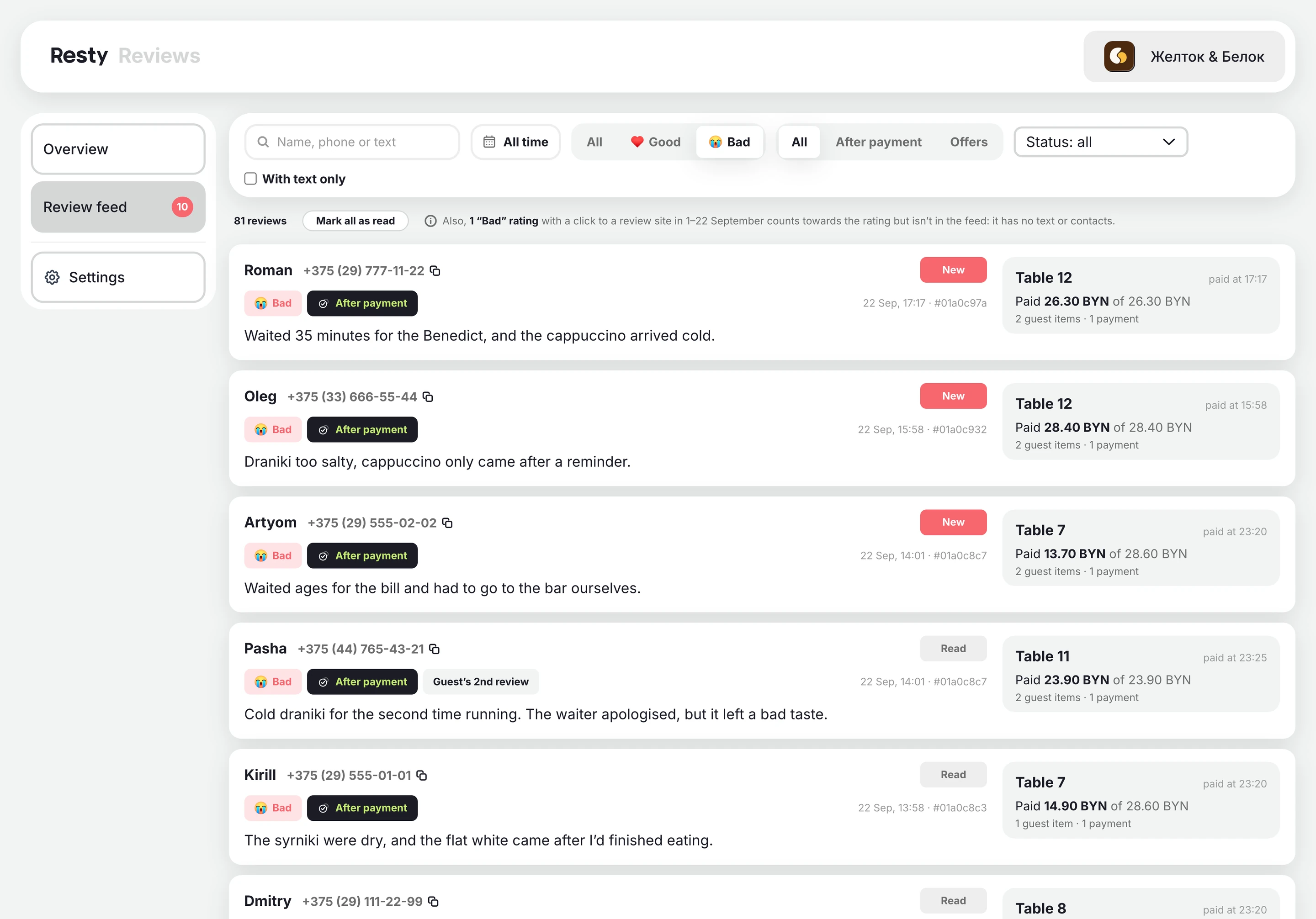
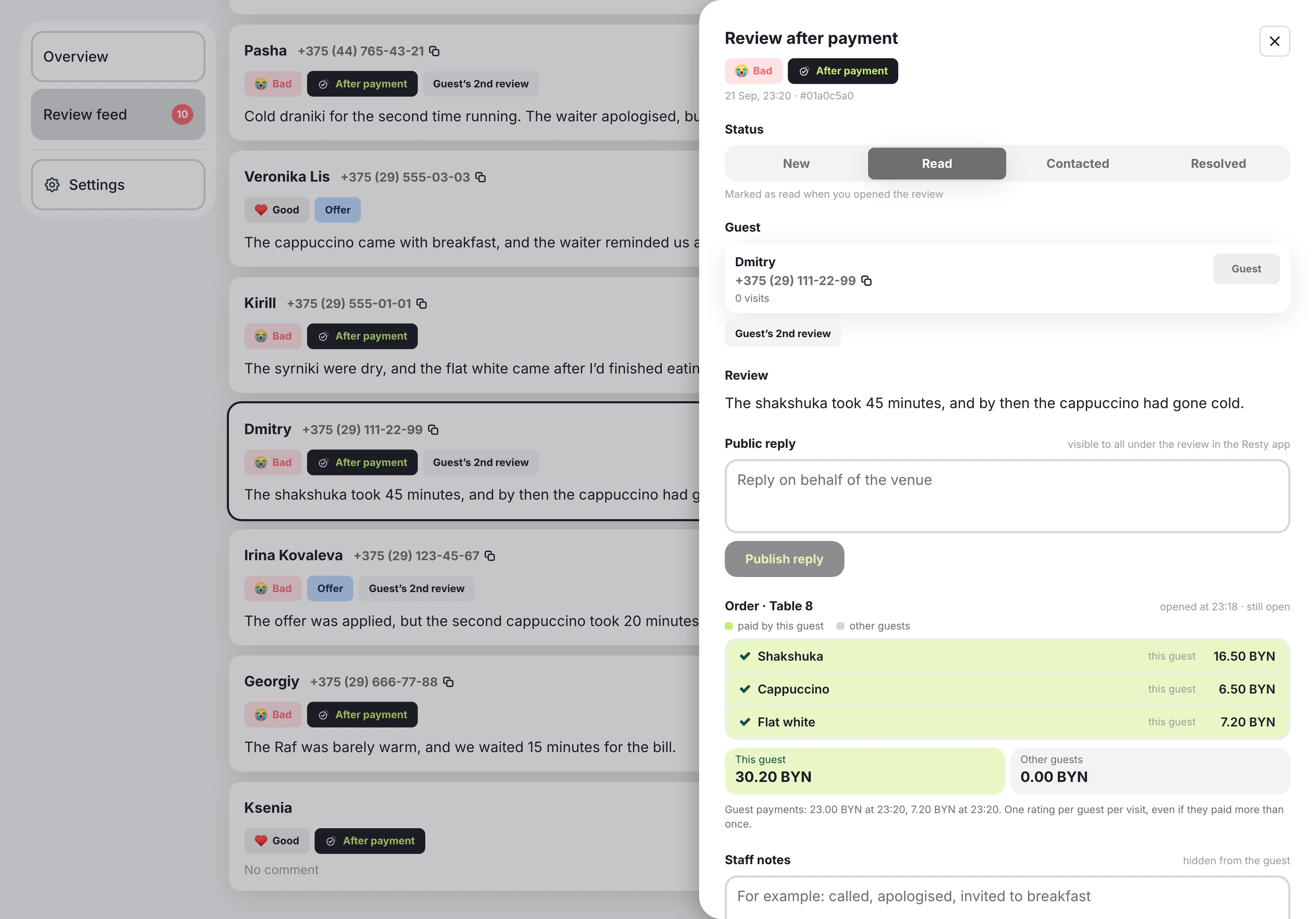
Every review shows the table, the payment time and the bill total.
reviews at partner venues
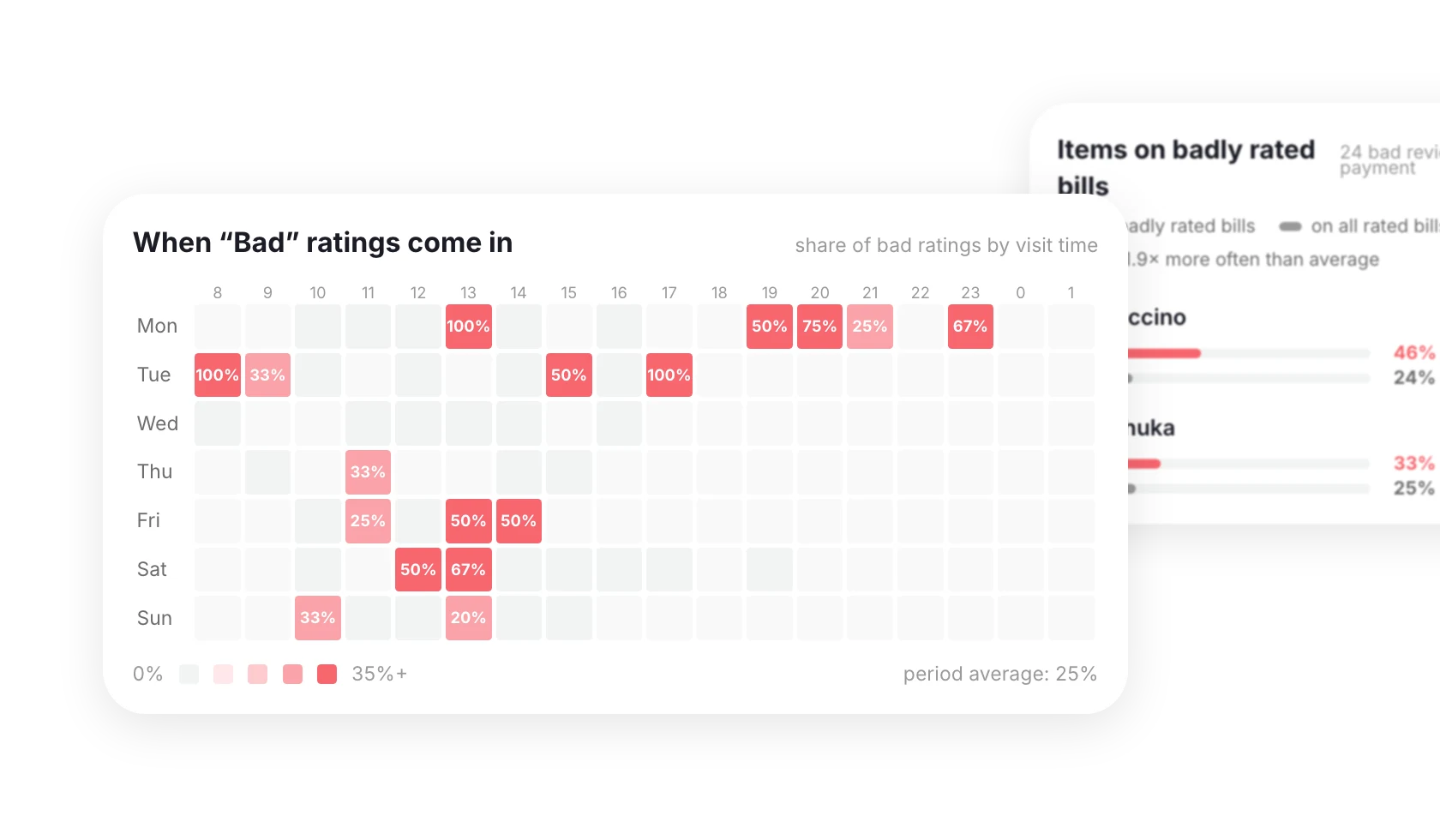
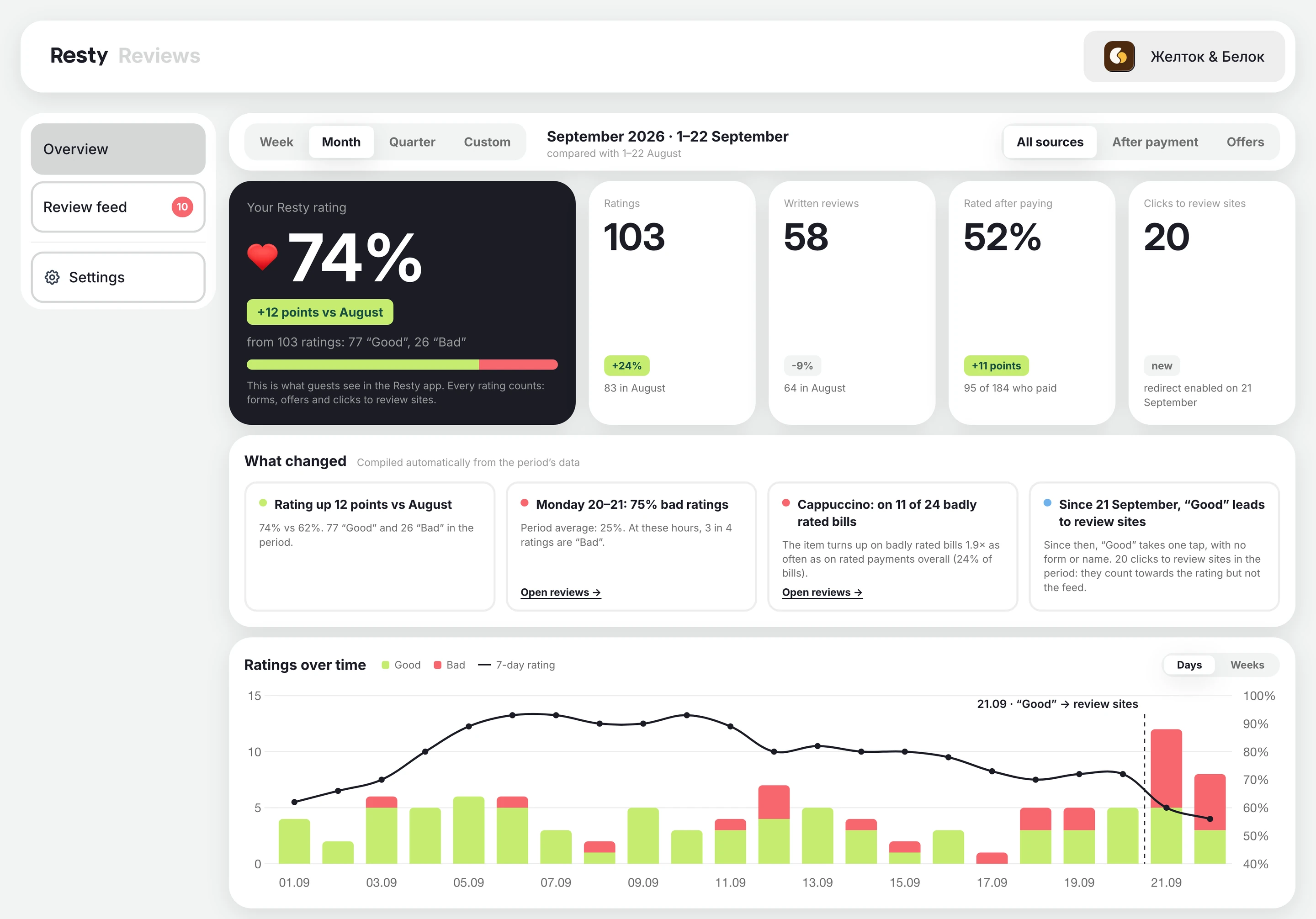
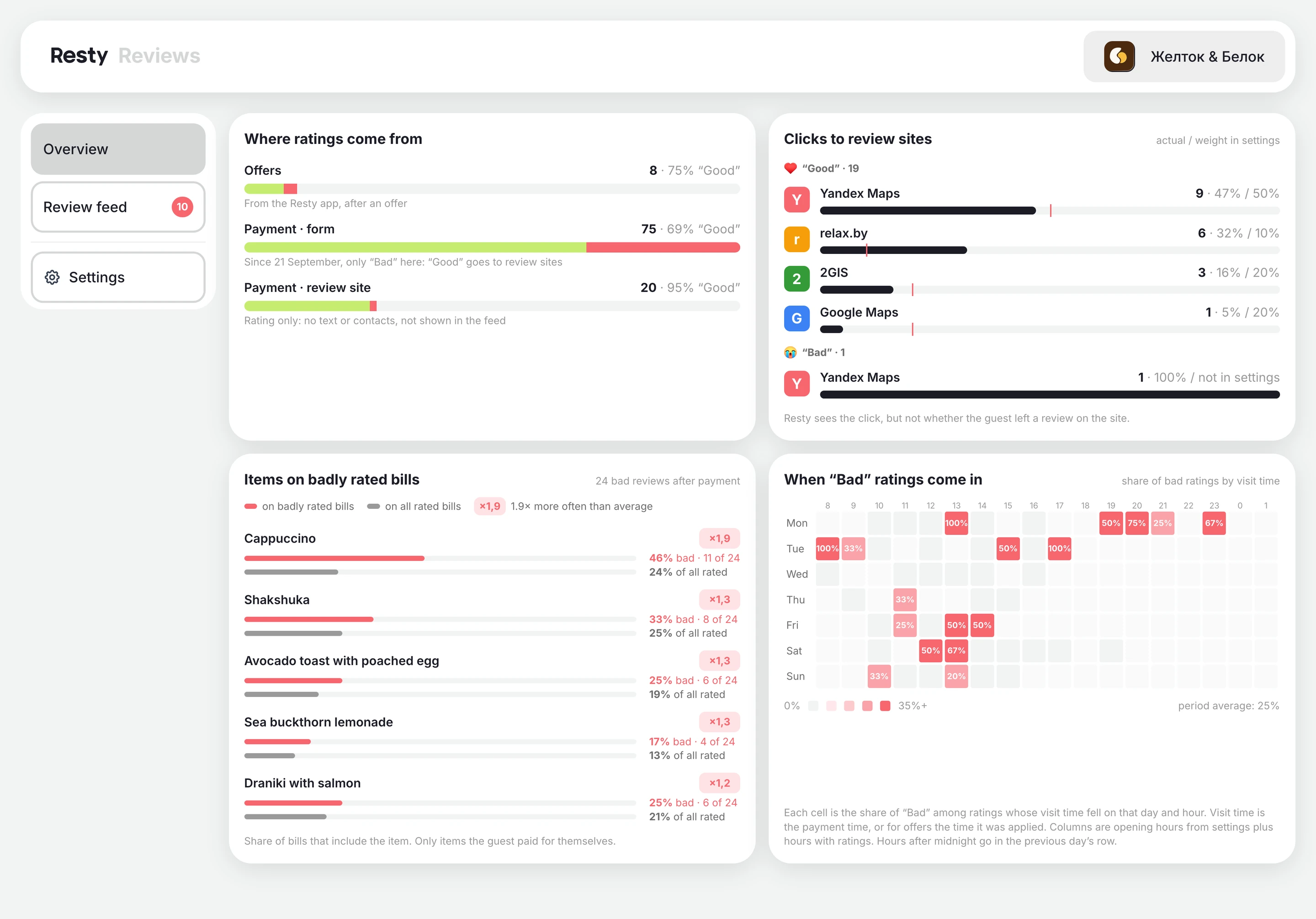
The hours when “Bad” ratings peak, and the dishes that turn up most on badly rated bills.
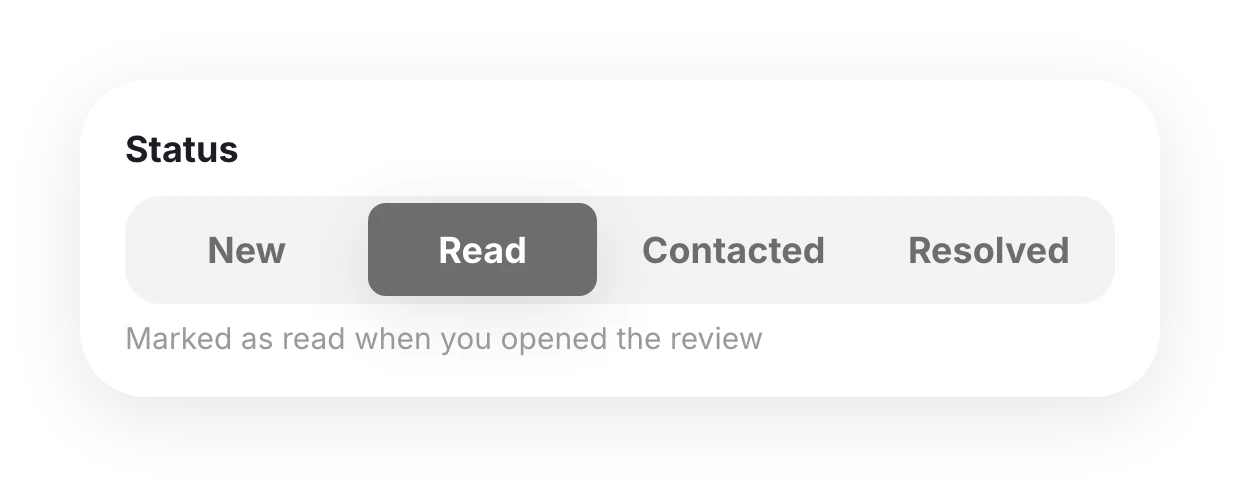
New, read, contacted, resolved. The whole team sees where each review stands.
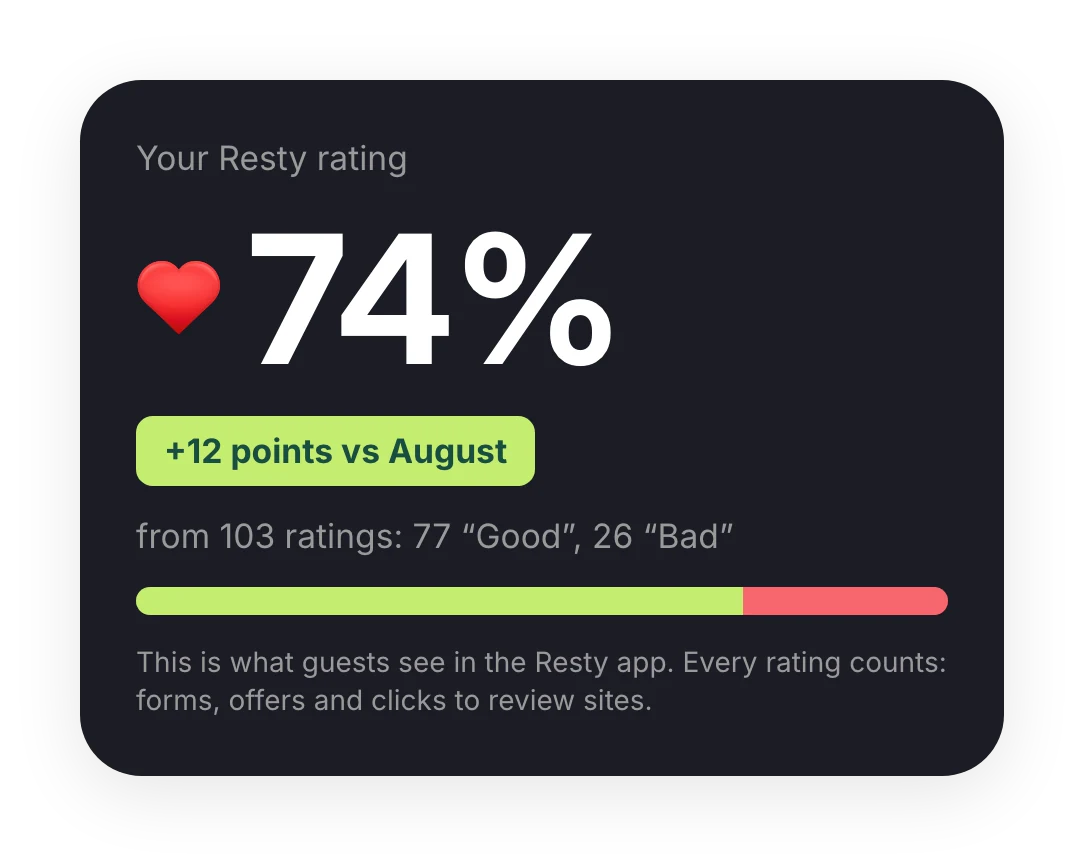
Guests see it in the Resty app. Every rating counts.
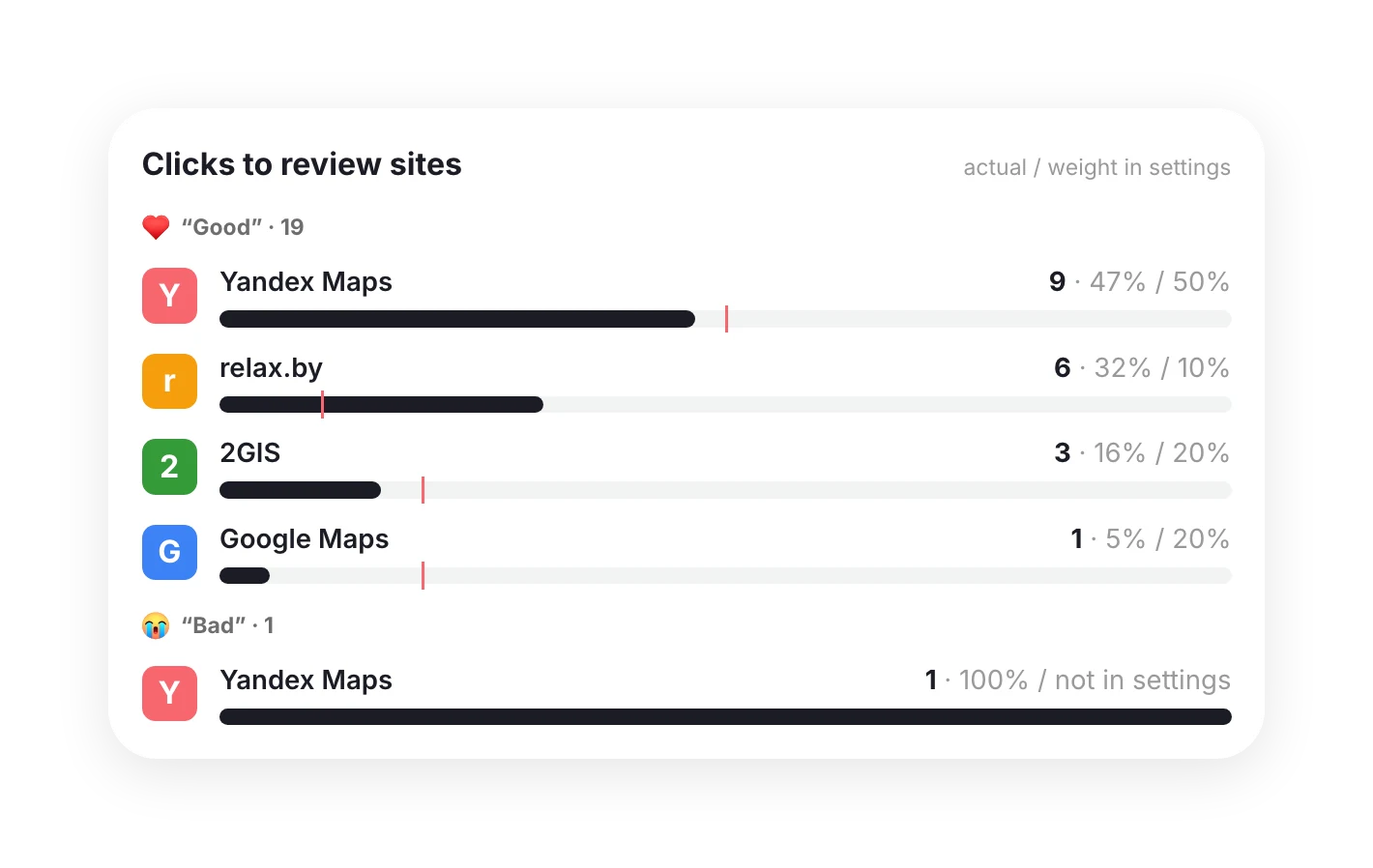
You can invite guests to leave a review on Yandex Maps, Google Maps, 2GIS or relax.by. Resty counts the click-throughs.
“How was everything?” appears on the “Thank you!” screen and on the main screen after payment.
Guests rate their visit after using one of your offers.
Reply from the admin panel, and your answer appears under the review on your venue page in the app.
All reviews and ratings in one section of the admin panel. See who rated you, what for, and what’s already been done about it.
Can’t find your answer? Message us on Telegram or leave your details below.
Set up QR payments from Resty. Right after paying, guests see “How was everything?” and answer with one tap. In the Resty app, guests rate their visit after using an offer.
Only guests who paid their bill through Resty or used an offer in the app. One rating per guest per visit, so nobody can game the reviews.
The guest writes what went wrong and leaves a phone number. The review goes straight to your team’s Telegram chat and to the feed in the admin panel, with the table, time and order.
No. A filter blocks reviews with offensive language, and you can reply to the rest. That’s why guests trust ratings on Resty.
On your venue page in the Resty app, along with your reply. Only the restaurant sees the guest’s phone number.
Yes. Instead of the form, guests can be sent to Yandex Maps, 2GIS, relax.by or Zoon.by. You set each site’s share in the settings, and click-throughs show up in the report.
Reviews work alongside QR payments. We’ll work out the terms for your venue.
Listing in the app is free. Add the other products when you’re ready.